How to make all your TikTok videos private at once
Published: · Last revised:
Private all your TikToks, bulk private, hide them all: the phrasing changes, the setting does not. Going private is the underrated move. It gets you almost everything deleting gets you, and you can take it back.
TikTok calls the setting Only you. According to TikTok’s post visibility documentation, every post carries its own audience: everyone, friends, or only you. Flip a post to Only you and it leaves your public grid but stays where it was for you. Nothing counts down and nothing expires. Deleting, by contrast, starts a 30-day clock in Recently Deleted, and then it ends.
Does TikTok document a way to private multiple TikToks at once?
TikTok’s help page describes how to change one post’s audience. It does not document a batch option. FixMyTok can apply the change to selected posts on iPhone, iPad and Android.
How to make one TikTok video private
- In the TikTok app, tap Profile and open the post.
- Tap the More options button, the three dots on the side of the post.
- Tap Privacy settings at the bottom. You may have to swipe left to find it.
- Choose Only you.
The view count stays where it was. TikTok does not reset it when you change the setting.
Private post or private account
People mix these up all the time, and they solve different problems. A private account, documented here, puts the whole profile behind follower approval. Everything you ever posted is visible to approved followers and nobody else. One switch, and a blunt one.
Per-post visibility is more precise. Your profile stays open, the videos you are proud of stay up, and the 2021 material you would rather not explain goes quiet. That is what most people mean when they say they want to hide their old TikToks.
The part that eats your evening
Changing each post by hand requires repeated steps. TikTok’s help does not document a way to select a batch.
Decide what you are hiding before you start. “Everything before 2023” is a rule you can execute and check. “The cringe ones” is not: you will stop to re-watch every video and it will be midnight. And if old content aging badly is your reason, you are in good company. The USENIX Security work on deletion privacy documents that people remove old social posts for ordinary reasons, and content going stale is one of them.
If the reason is a job search, hide, do not delete. You can put it all back in six months when the contract is signed, and you will want to, because some of those videos are good. More in clean up your TikTok before a job search.
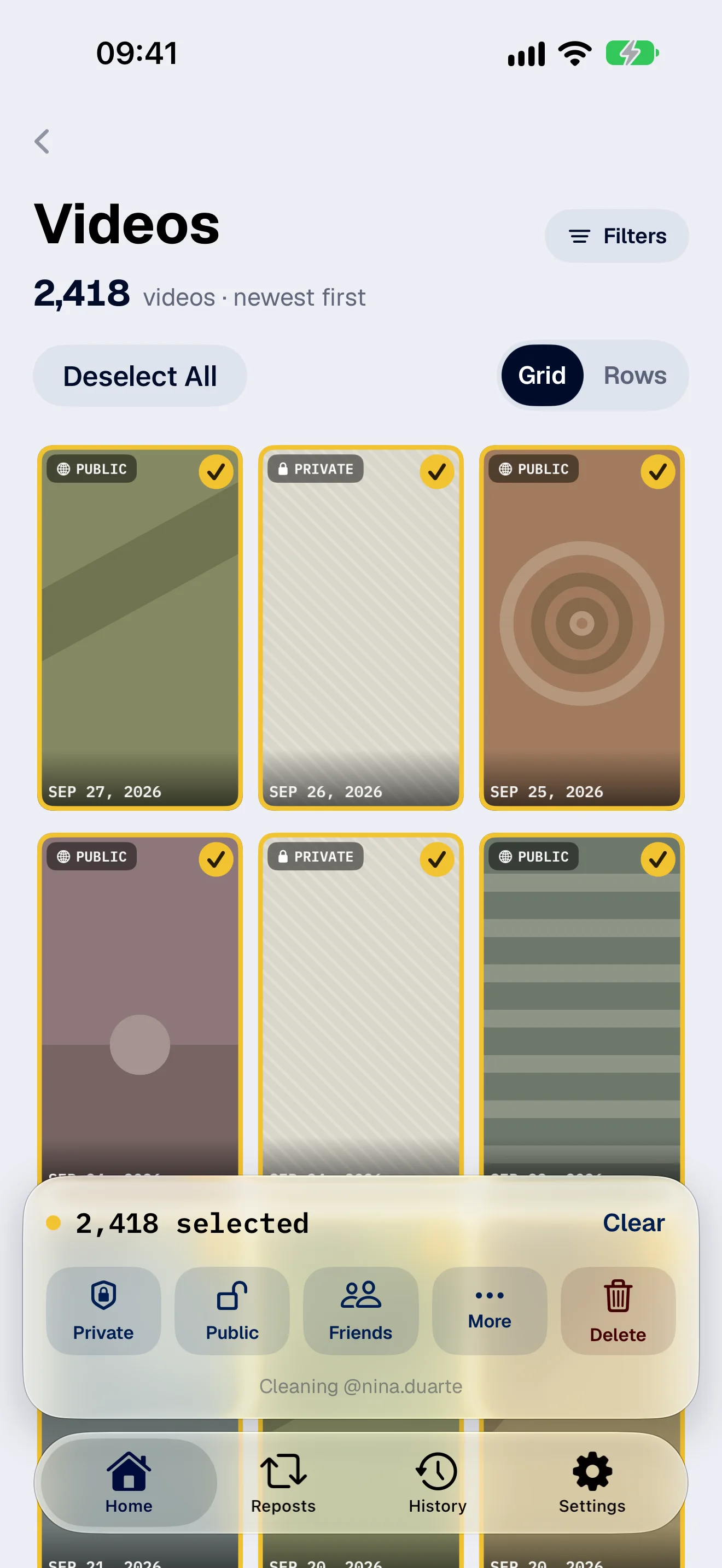
How to make hundreds of videos private at once
In FixMyTok you select hundreds of posts, filter to a date range, confirm once and watch the batch run. Make Private is the action I reach for first, for a boring reason: if I get it wrong, the fix is one more batch in the other direction.
- Open FixMyTok and connect your TikTok account. You log in on TikTok’s own page.
- Filter your videos by year, visibility or caption.
- Tap Select All. It selects the filtered list, so the number you confirm is the number that changes.
- Choose Make Private and confirm once.
Videos that are already private get skipped, so the finished count can come in lower than the number you selected.
People also search for this as archiving, because Instagram trained everyone to expect an archive button. TikTok has no such shelf. Only you does that job, and the full version is in archive without deleting. When you want a post public again, it is the same selection in reverse.
Reposts are a separate pile. Changing privacy on your own videos does not touch anything you reposted from other people, and that needs its own pass.