Best TikTok repost remover apps: four options compared
Published: · Last revised:
Disclosure: I make FixMyTok, one of the apps in this comparison.
Short answer: Choose FixMyTok if you use an iPhone, iPad or Android phone and want to clean more than reposts. It removes reposts, manages your own videos, changes privacy in bulk, keeps interrupted jobs resumable, and has no third-party ads. Its free plan is also the one that stretches furthest in a single sitting: 100 actions a week, 100 more once for creating an account, and 2,000 for posting about FixMyTok on TikTok.
It is not the cheapest everywhere. UnReposter has the lowest lifetime price, and FixMyTok ties ClearTok and UnReposter on weekly. FixMyTok has the lowest monthly price here, but only by nine cents. More on that below.
ClearTok is stronger if you need a browser extension. UnRepostAll covers mobile and desktop, but its current US prices are much higher and its Google Play listing says it contains ads.
Prices and features change. I checked FixMyTok’s column on 20 October 2026 against its App Store and Google Play listings and the app itself. I checked the other three on 25 September 2026 against each product’s public website or store listing.
The comparison at a glance
| Feature | FixMyTok | ClearTok | UnReposter | UnRepostAll |
|---|---|---|---|---|
| Main job | Full profile cleanup: own videos and reposts | Repost removal and management | Selective or complete repost removal | Repost removal |
| iPhone | Yes | Yes | Yes | Yes |
| iPad | Yes, with a native wider layout | Yes | Yes | iPhone app compatibility only |
| Android | Yes | Yes | Yes | Yes |
| Desktop | Apple Silicon Mac compatibility listed | Chrome, Edge and Firefox | Chrome extension | macOS and Windows |
| Full repost scan | Yes | Yes | Yes | Yes |
| Select individual reposts | Yes | Yes | Yes | Basic bulk flow |
| Search and filters | Creator, username, caption and date for reposts; date, caption and visibility for posts | Creator and date controls, including keeping recent reposts | Caption, creator and date | Limited controls advertised |
| Remove reposts in bulk | Yes | Yes | Premium | Yes |
| Change your own videos in bulk | Private, public or friends-only; comments and reuse controls | No | No | No |
| Delete your own videos in bulk | Yes | Separate Chrome extension | No | No |
| Interrupted cleanup | Saved job resumes from the same item | Pause and resume advertised | Resumable queue | Stop and continue advertised |
| Lock Screen and Dynamic Island status | Yes | Not advertised | Not advertised | Not advertised |
| Removal history | Yes | Detailed local history | Live progress and saved queue position | Activity log |
| Export | Cleanup report | Removed URLs and history | Not a headline feature | CSV |
| Multiple accounts | Premium | Change or reconnect accounts | Not emphasized | Unlimited accounts advertised |
| Free allowance | 100 actions a week; 100 once for an account; 2,000 a month for a TikTok post; each share adds 50 for 24 hours, up to 250 more | 50 daily, or 100 after sign-in | Up to 100 daily; free removal is one at a time | 50 per 24 hours claimed on its website |
| Pricing | $4.99/week, $9.90/month, or $59.99 lifetime | $4.99/week, $9.99/month, or $49.99/year on its website; $49.99 lifetime on the App Store | $4.99/week or $19.99 lifetime; the App Store also lists $9.99/week and $29.99 lifetime | $20/month or $99/year; lifetime not listed |
| Ads | No third-party ads | Claims no ads | No ad-supported plan advertised | Google Play says Contains ads |
Where FixMyTok is stronger on iPhone and iPad
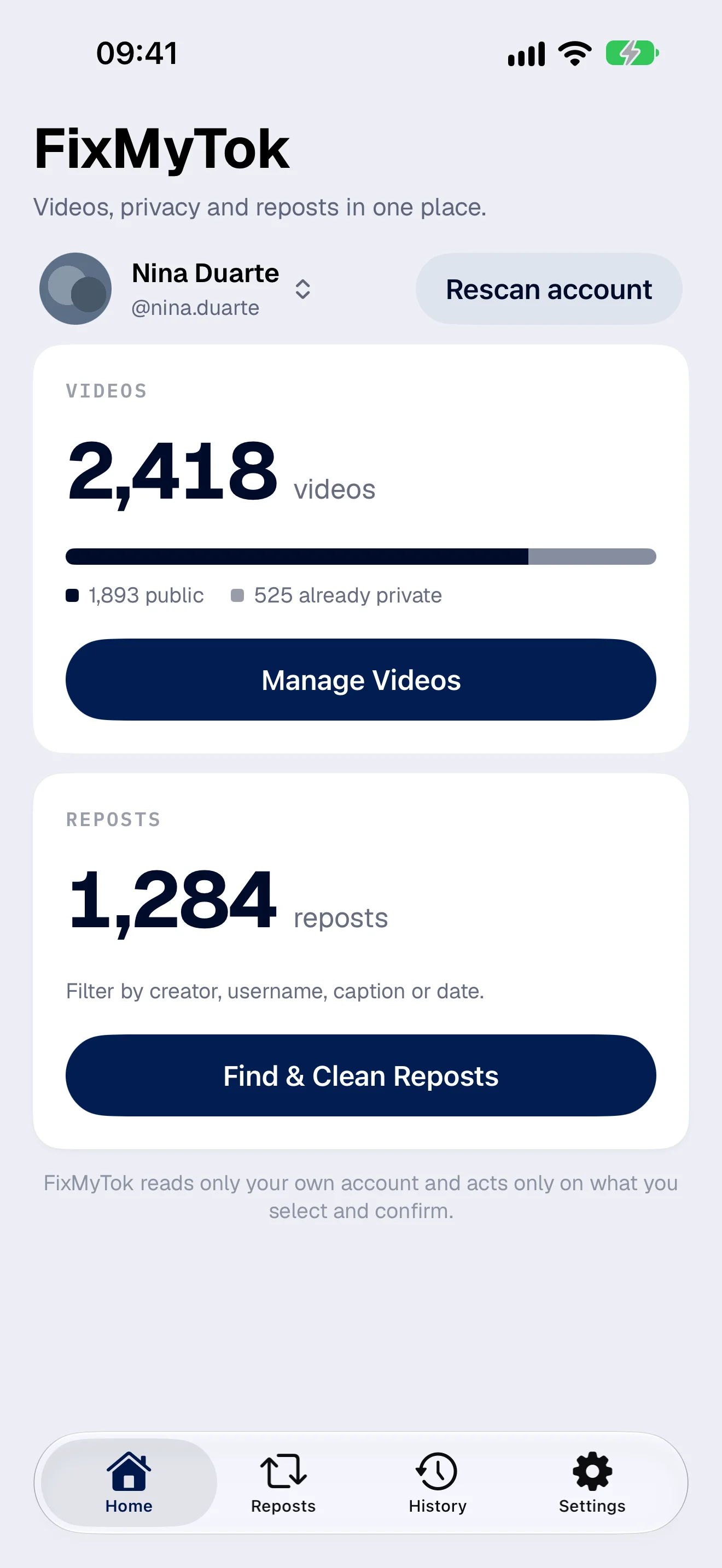
Most tools in this category do one thing: they remove reposts. FixMyTok also scans the videos you published. You can filter them, select many, and make them private, public or friends-only, change comment and reuse settings, or delete the selection. That matters when the real job is a profile cleanup. Removing old reposts does not hide an old public video you made, and FixMyTok handles both lists in one app.
Privacy is also the safer option at every big decision. Making a video private is reversible in TikTok. Deleting one is not reversible inside FixMyTok, so the app offers privacy as the alternative before a large deletion. Repost removal is reversible too, because you can repost the original. ClearTok helps there with a local history and links back to removed videos, though its own guide says it does not restore them automatically. No tool can promise a reliable undo for a finished TikTok deletion. TikTok keeps deleted posts in its own Recently Deleted area for a limited period, and TikTok controls that feature.
The Live Activity on the Lock Screen and in the Dynamic Island shows the cleanup status, the progress, and whether the job needs you. It has a limit you should know about. iOS can suspend the TikTok web view once FixMyTok goes to the background, so FixMyTok does not claim every removal keeps running while the app is closed. It saves the job, shows that the cleanup paused, and resumes from the same item when you return. That is more useful than a vague background claim: you can see whether the job still runs, stopped, or needs a new TikTok sign-in, and you do not lose finished work or restart the list.
The free plan, in plain numbers
An action is one item changed: one repost removed, or one video made private, deleted or otherwise updated. Scanning and browsing cost nothing. This is how FixMyTok’s free actions work today:
- 100 a week. The week opens when you spend your first action and runs seven days.
- 100, once, for an account. An account is optional. You can sign in with Apple, Google or your email, confirm your email and join the newsletter, and the app adds 100 actions one time. The account does not unlock Premium and does not touch the weekly 100.
- 2,000 a month for a TikTok post. Post a TikTok about FixMyTok from your own connected account, with both @fixmytok and #fixmytok in the caption. Paste the link in Settings, then Account. The post has to be public, each video can be used once, and you can claim once a month. You need the confirmed email from the step above.
- 50 per share, for 24 hours. Share FixMyTok on X, Instagram Feed, Instagram Story, Threads or Bluesky and each one adds 50 for 24 hours, up to 250 more.
That 2,000 is a trade, and I would rather say so: you post, FixMyTok gets a mention. The newsletter works the same way. I will email you about cleaning up TikTok, and you can unsubscribe at any time.
How this compares depends on the size of the job. The other three apps advertise daily limits of 50 to 100 free actions, which adds up to more than FixMyTok’s 100 a week if you can wait. FixMyTok’s 2,000 is not a daily limit, so a one-off cleanup of a few hundred reposts can run in one sitting instead of over several days. If you are not in a hurry and your job is small, a daily allowance does the same work.
Price
In the US, FixMyTok costs $4.99 weekly, $9.90 monthly or $59.99 lifetime. One subscription also unlocks FindMyTok, my search app for your own videos. The lifetime purchase covers FixMyTok only.
Here is how that sits against the others. ClearTok’s pricing page lists $4.99 weekly, $9.99 monthly and $49.99 yearly. UnReposter lists $4.99 weekly. UnRepostAll’s US App Store listing shows $20 monthly and $99 yearly, plus credit packs.
- Weekly: FixMyTok matches ClearTok and UnReposter at $4.99.
- Monthly: FixMyTok’s $9.90 is the lowest in this comparison, nine cents under ClearTok’s $9.99. UnRepostAll is $20.
- Lifetime: UnReposter is the cheapest at $19.99, and that is the honest exception. ClearTok’s US App Store listing sells “Lifetime Pro” for $49.99. FixMyTok’s $59.99 is the highest lifetime price listed here.
The US App Store listings show more prices than the websites. UnReposter also lists a $9.99 “Weekly Premium” and a $29.99 “Lifetime Premium”. ClearTok lists six “ClearTok Premium” purchases from $4.99 to $49.99, plus “Max 1000” for $9.99 and “Max 2000” for $19.99. Those names do not show a billing period, so I did not assign one.
So price alone does not settle it. The monthly gap to ClearTok is nine cents, and UnReposter wins on lifetime. What you pay for is the published-video cleanup, privacy changes and Live Activity status, and for a single job you may not need to pay at all.
Where each competitor is stronger
ClearTok. Choose it if you need Chrome, Edge or Firefox. Its history and export tools are strong. It claims no ads, so FixMyTok is not the only ad-free option here.
UnReposter. Choose it if repost removal is your only job and you want the lowest lifetime price. The searchable list and date filters suit selective cleanup. It does not advertise controls for your own published videos.
UnRepostAll. Choose it if you need the macOS or Windows apps and want CSV exports across multiple accounts. Its Google Play version contains ads, and its current US App Store prices are the highest in this comparison.
Sources
- FixMyTok on the App Store
- FixMyTok on Google Play
- ClearTok website, pricing page, restore explanation, and US App Store listing
- UnReposter website, pricing page, and US App Store listing
- UnRepostAll website, US App Store listing, and Google Play listing